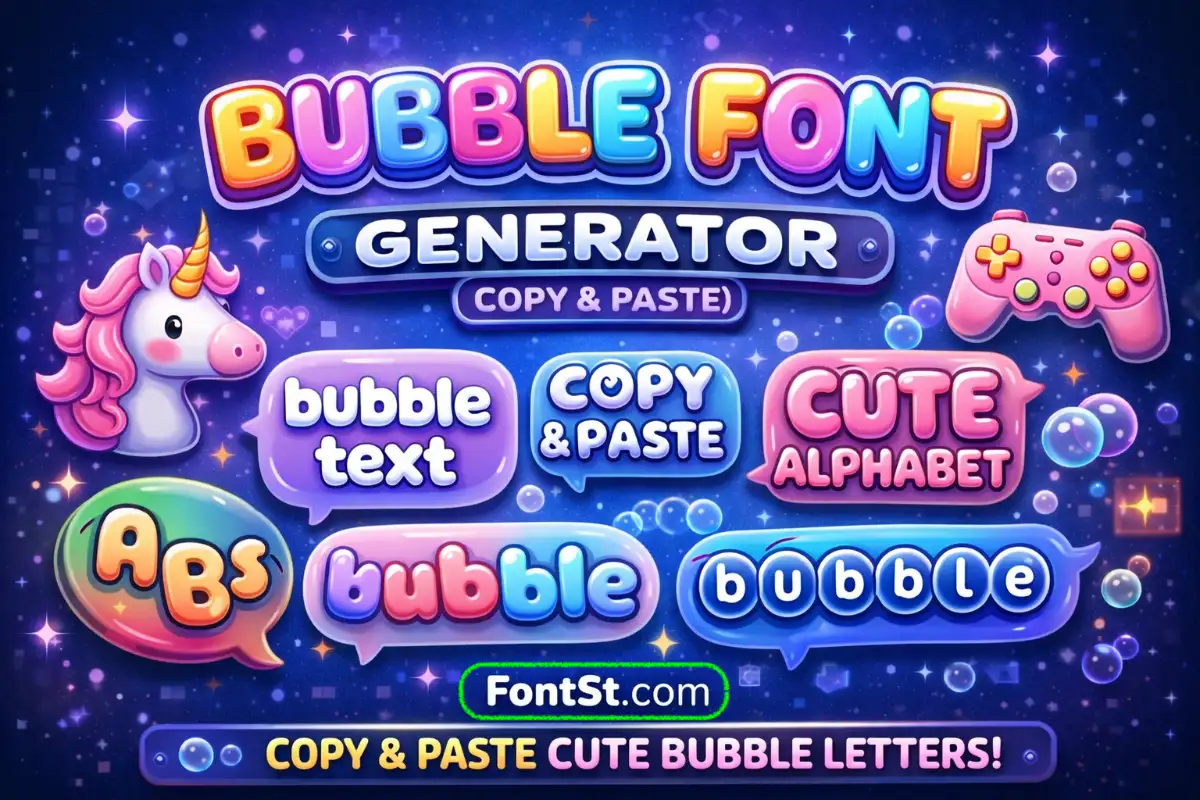
Turn plain text into cute bubble letters with FontSt’s Bubble Font Generator—perfect for names, bios, and short captions. Pick a bubbly style you like, then copy and paste it into your favorite apps or game profiles.

🅾️ Bubble Font Generator Ⓜ️

What Is A Bubble Letter Font?

If you’re searching what is a bubble letter font, it usually means a lettering style where characters look rounded, thick, and “inflated.” Bubble letters are popular because they’re easy to read, visually friendly, and instantly recognizable in social profiles and creative posts.

Bubble styles often show up in different forms:

  • Rounded “cute” bubble letters for names and bios
  • Outline bubble letters (hollow look) for clean headings
  • 3D bubble font styles for extra pop
  • Bubble graffiti lettering for bold street vibes

Some bubble outputs are copy-and-paste characters; others are “font-like” looks used in design apps. Your generator focuses on bubble-style text you can quickly use in everyday platforms.

Try more font styles ➜ Square Font Generator For Text And Names

Square Font
Square Font

How To Use The Bubble Font Generator

  1. Type your text (name, short phrase, caption line).
  2. Choose a bubble style (rounded, script, outline, 3D, or graffiti-like).
  3. Copy the result.
  4. Paste it into your target platform.
  5. If one style looks odd, switch to another bubble variant—different apps render styles differently.

Tip: Bubble text works best in short lines. Use it for a headline, then keep the rest of your caption in normal text for readability.

Try more font styles ➜ Box Font Generator


Cute Bubble Letter Alphabet Copy And Paste

If you want a cute bubble letter alphabet copy and paste set, the easiest way is to:

  • type the letters you need (A–Z or a–z) into the generator
  • copy the bubble version
  • save your favorites as a personal “alphabet kit” for future bios and names

Quick idea: Make your own mini library:

  • one bubble style for names
  • one bubble style for headings
  • one bubble style for cute comments

That way your profile stays consistent and doesn’t look random.

More font styles ➜ Small Caps Font Generator

Small Caps Font
Small Caps Font

Bubble Font Generator For Socials And Games

Bubble letters are great when you want your text to feel friendly, cute, or creative without looking messy. Try bubble text for:

  • Instagram & TikTok: display names, bios, short caption headers
  • Facebook & Messenger: post titles, comments, short status lines
  • YouTube: “about” line headers, playlist titles (short)
  • Discord & Telegram: nickname styling and channel label vibes
  • Gaming profiles (when allowed): Roblox, Minecraft, Free Fire, PUBG Mobile, CODM, Mobile Legends, Clash of Clans

Practical note: Many games restrict special characters for usernames. If bubble text doesn’t save as a name, use it in bio/about lines or clan descriptions instead.

Try more font styles ➜ Bold Font Generator

Bold Font Generator
Bold Font Generator

Bubble Letter Styles You Can Try

Below are common bubble-related style searches. Some refer to design fonts (used in apps like Canva or Photoshop), while others describe a look you can approximate with generator-style bubble text.

Font Bubbly Styles (Awesome In Bubble Letters)

“Bubbly” usually means rounded, cheerful, and easy to read. Use it for:

  • cute bios
  • friendly captions
  • aesthetic headings

If your goal is “awesome in bubble letters,” choose a style with thick strokes and clear spacing.

Bubble Handwriting Font

This style looks like rounded marker handwriting—soft, casual, and personal. Great for:

  • “about me” lines
  • short quotes
  • simple captions

Cool Bubble Script Font

A script bubble style feels both playful and stylish. Use it for:

  • one-word names
  • short taglines
  • pinned comment headers
    Avoid long paragraphs—script styles can get hard to read.

Letter A Bubble Letters

If you’re testing a style, start with tricky letters like A, M, S, R to see if it stays readable. Some bubble sets render certain letters more clearly than others.

Bubble Graffiti Lettering

Graffiti bubble letters are thicker, louder, and more energetic. They fit:

  • gaming nicknames (if allowed)
  • hype captions
  • street-style bios
    Keep it short so it doesn’t turn into visual noise.

Bubble Font Generator Graffiti

If your generator includes graffiti-like bubble styles, treat them like “headline styles”:

  • use one short phrase
  • avoid mixing with too many symbols
  • pair with a normal-text second line for clarity

Bubble Letter Font In Word

If you mean Microsoft Word: Word doesn’t have a single built-in “bubble font” that works everywhere. You can use installed fonts in Word documents, but that won’t turn into copy-paste bubble text for social apps. For social bios and names, a generator is usually the easiest route.

Bubble Cursive Letters

Bubble cursive is a softer, more decorative bubble look. It’s ideal for:

  • aesthetic bios
  • cute names
  • short love quotes
    If readability drops, switch to a rounded non-script bubble style.

Bubble Gum Sans

Bubble Gum Sans is a popular playful typeface used in design tools. If you like this vibe, choose a rounded bubble style that feels bouncy and cute.

Easy Bubble Letter

“Easy bubble letter” usually means simple, rounded letters with minimal decoration. This is often the best style for:

  • usernames
  • short bios
  • clean headings

Drawn Bubble Letters

Drawn bubble letters look hand-sketched and artsy. Use them for:

  • creative captions
  • personal branding
    If the style looks uneven in some apps, pick a cleaner bubble variant.

Retro Bubble Font

Retro bubble styles feel nostalgic—bold curves, slightly chunky shapes. Great for:

  • throwback captions
  • fun profile headers
    Pair with simple emojis to keep it modern.

Fancy Artsy Bubble Letters

Artsy bubble letters can be more decorative. They’re best used as:

  • one-line headlines
  • short name accents
    If you need maximum compatibility, stick to simpler bubble forms.

Outline Bubble Letters

Outline bubble letters look clean and airy (hollow effect). Perfect for:

  • minimal headers
  • tidy profile layouts
    They also tend to stay readable if the line is short.

3D Bubble Font

3D bubble styles add depth and pop. Use them sparingly:

  • short headline
  • one key word
    Overuse can make your bio feel heavy.

Try more font styles ➜ Italic Font Generator (Copy And Paste)

Italic Font Generator

FAQ – Text Font Bubbly

Do bubble letters work everywhere I paste them?
Not always. Some apps display bubble styles differently. If one style looks normal or broken, try another bubble option in the generator.

Can I use bubble letters for usernames in games?
Sometimes, but many games restrict special characters. Bubble styles often work better in bios, status lines, or clan descriptions.

What’s the best bubble style for readability?
Choose an “easy bubble letter” style—simple rounded letters with clean spacing. Save decorative styles (3D, graffiti, outline) for short headlines.

How do I make my bubble bio look clean, not messy?
Use bubble text for one headline line, then write the rest in normal text. Consistency matters more than using many different styles.

Try more font styles ➜ Bold Facebook Text Generator


Leave a Comment